
Connect the Telegram bots
The 5 alert bots are part of AsianHub. They have no filters of their own: each one sends you what your AsianHub account’s filters let through. They are optional: you can use only the website.
1Log in to AsianHub with Telegram
When you log in with the Log in with Telegram button, your AsianHub account is linked to your Telegram: it is how the bots know which filters are yours.
Use the same Telegram you paid for AsianHub with.
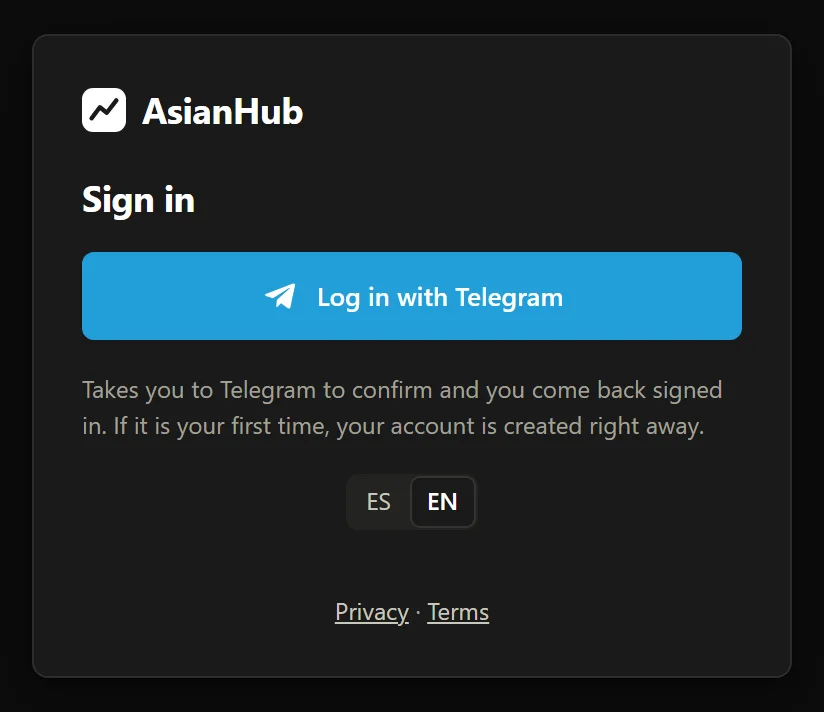
- 1Log in with Telegram: takes you to Telegram to confirm and you come back signed in.

Real AsianHub screenshot, with demo data.
View full size ↗2Set your filters and profiles
In Alert filters, each bot has its tab. If you don’t change anything, you use the recommended filters. With several active profiles, each alert tells you which one let it through.
3Receive alerts on Telegram
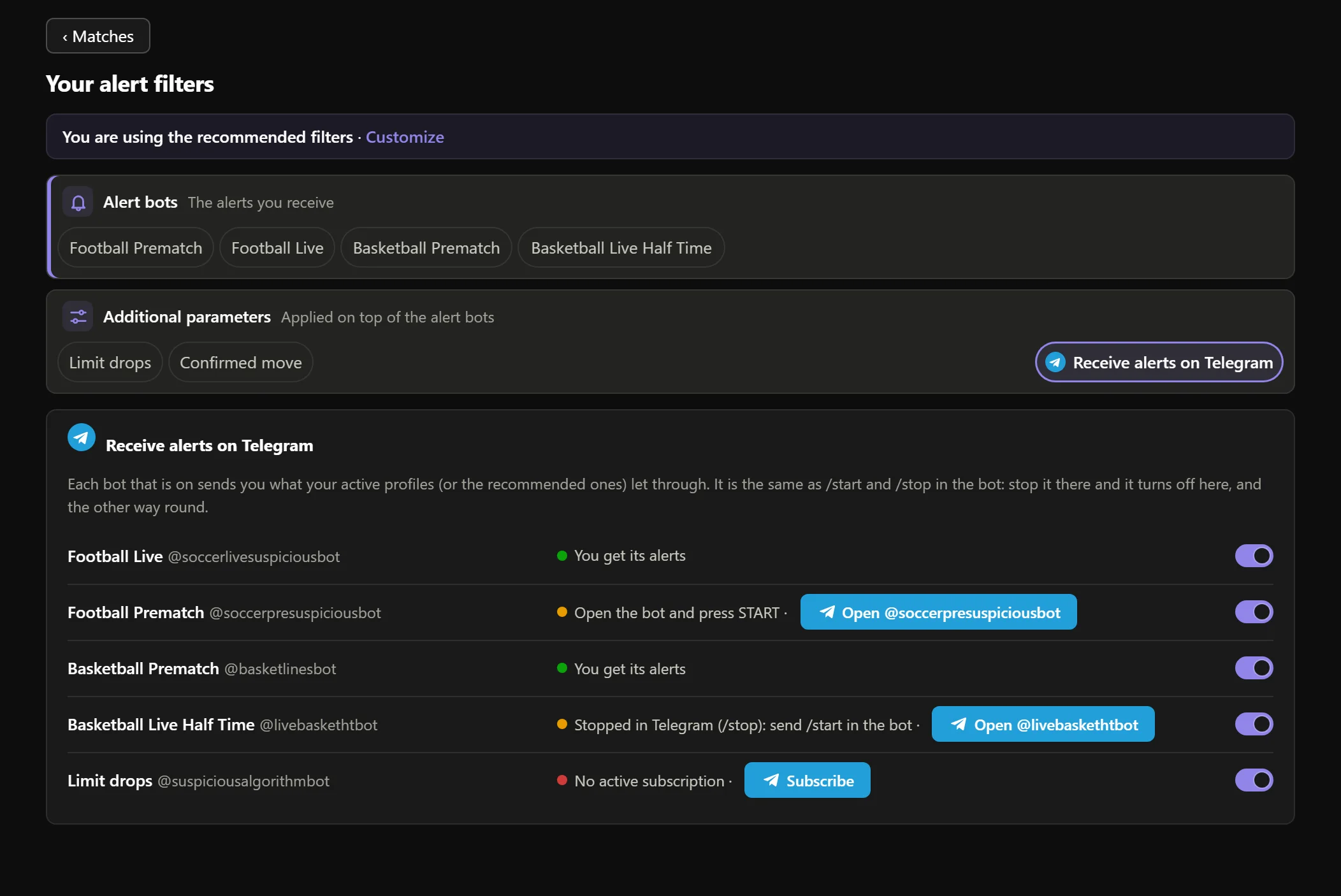
- 1The Receive alerts on Telegram tab of your filters, with the Telegram logo.

- 2Each bot with its @ and status: “You get its alerts”.

- 3“Open the bot and press START” → Open @… and press START.

- 4“No active subscription” → Subscribe.

- 5Each bot’s switch, in sync with the bot’s /start and /stop.

Real AsianHub screenshot, with demo data.
View full size ↗- You get its alerts — all set.
- Open the bot and press START — open it and press START.
- No active subscription — subscribe to or renew AsianHub.
- Off: it sends you nothing — switch it on or send /start in the bot.
- Stopped in Telegram (/stop) — send /start in the bot.
- Link your Telegram — press “Link in My account”.
- No data from the bot yet — wait a minute and reload.
4Press START in each bot you want
Football Live
@soccerlivesuspiciousbotOdds drops, line moves and confirmed moves in live football.
Open in TelegramFootball Prematch
@soccerpresuspiciousbotOdds drops, line moves, confirmed moves and suspended markets in pre-match football.
Open in TelegramLimit drops
@suspiciousalgorithmbotPinnacle cuts the limit on a market, in football and basketball.
Open in TelegramWhen you press START the bot tells you your status: alerts active and your AsianHub days, or what is missing (subscription, or switching it on in your account).
These bots only have /start and /stop. Everything else is in AsianHub and @sharpspaymentsbot.
5Alerts arrive, with your profile
  TO START    ODDS
  ────────  ────────
      2h20    2.100
      2h10    1.800
Each alert arrives in your language and, if you have profiles, with the 👤 tag of the profile (or profiles) that let it through.
What you see on the web and what you get on Telegram come from the same filters.
6Pause a bot or use only the web
- The AsianHub switch and the bot are in sync: switching it off in AsianHub stops that bot’s alerts; /stop in the bot also switches it off in AsianHub; /start turns it back on.
- Your subscription stays the same. Getting alerts on Telegram is optional: you can switch all 5 off and use only the platform.
Keep going
Something doesn’t work like this? Message us at @sharpspickssupport.