
Renewal and expiry
You always know how many days you have left, we remind you before they run out and, if you renew early, you lose none: they add up.
1Check your days
In @sharpspaymentsbot, /mysubs (or 📊 My services) shows each service with its days and date.
In AsianHub, your days left and the date are in My account (at the top, next to Alert filters; also from ⚙), under “Your services”.
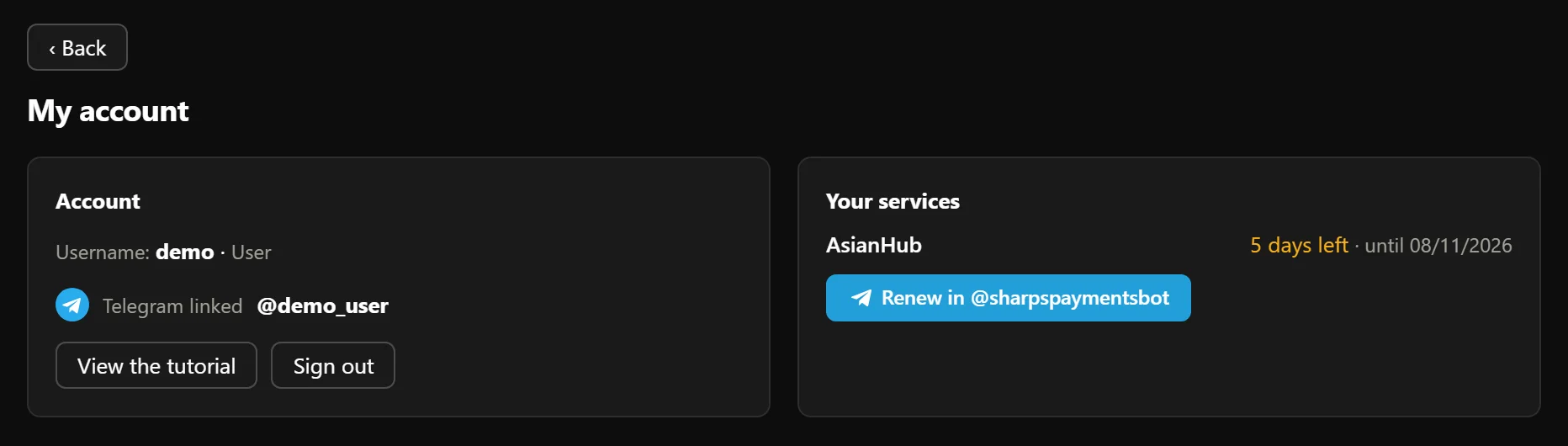
- 1AsianHub: the days left and until which date.
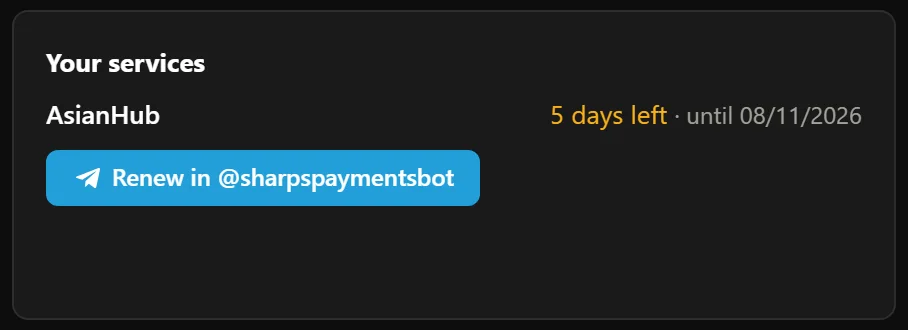
- 2Renew in @sharpspaymentsbot: opens the payments bot.

Real AsianHub screenshot, with demo data.
View full size ↗2Reminders before expiry
We remind you 7, 3 and 1 days before each service expires, on Telegram in @sharpspaymentsbot.
In AsianHub, when 7 days or fewer are left a strip shows at the top with a link to the bot. You can close it: it comes back the next day.

- 1The AsianHub strip with the days left.

Real AsianHub screenshot, with demo data.
View full size ↗3Renewing early adds days
You renew the same way you subscribe: /subscribe, pick the service and the period and pay. If you still have days left, the bot tells you and the new ones are added to them.
Example: you have 7 days of AsianHub left and renew 1 month → you will have 37 days.
In the same purchase you can add another service.
4What happens on expiry
- You stop getting that service’s picks and Telegram alerts.
- In AsianHub you no longer see matches or alerts: it shows “Your AsianHub subscription has expired” with a renew button.
- Nothing is deleted. Your filters, profiles, switched-on bots and settings are kept and come back as they were when you renew.
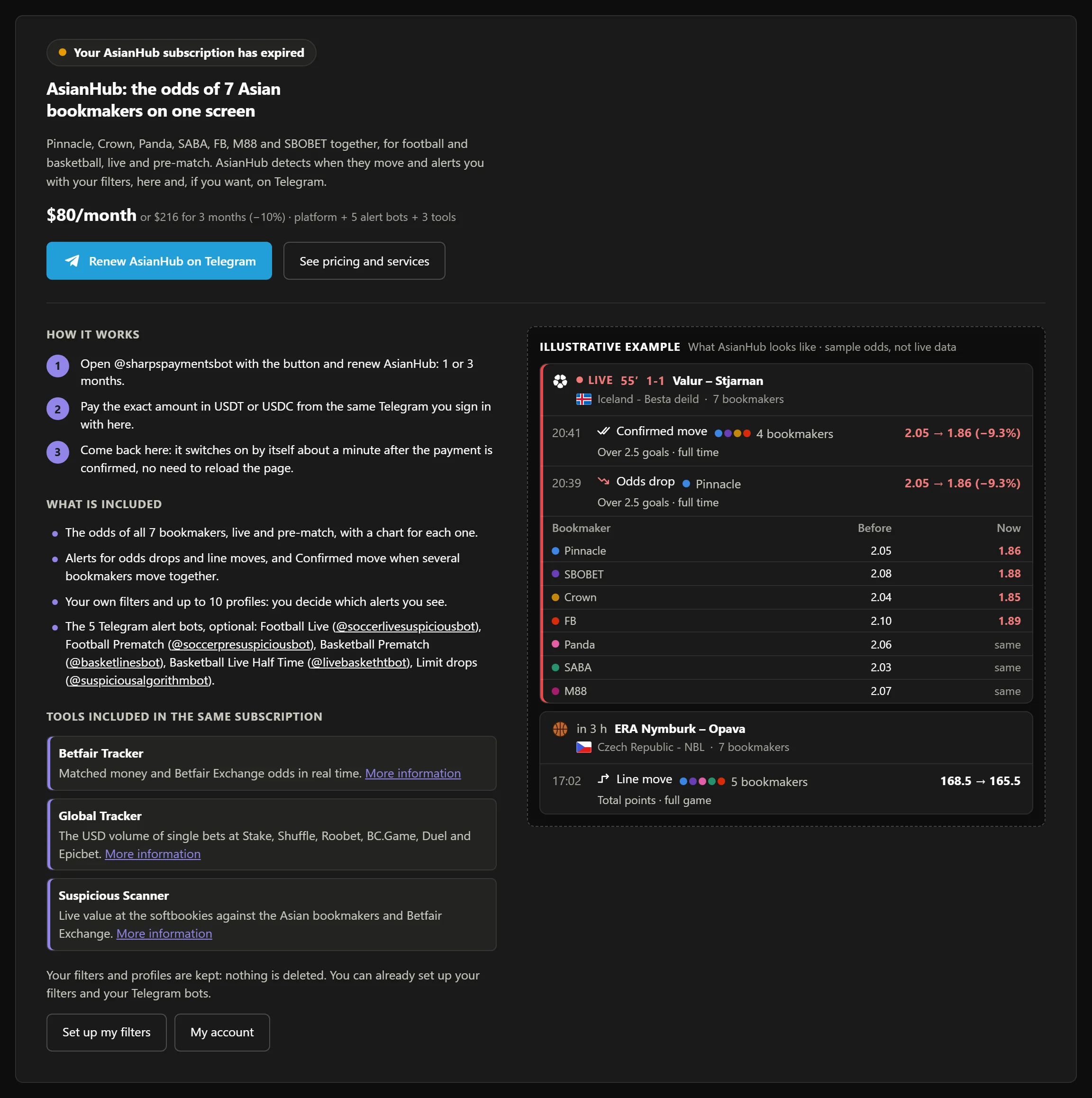
- 1Without an active subscription, AsianHub tells you at the top.

- 2AsianHub’s price, for 1 or 3 months.

- 3The blue Renew AsianHub on Telegram button (or Subscribe, the first time) opens @sharpspaymentsbot.

- 4The 3 steps: you pay on Telegram and it turns on by itself.
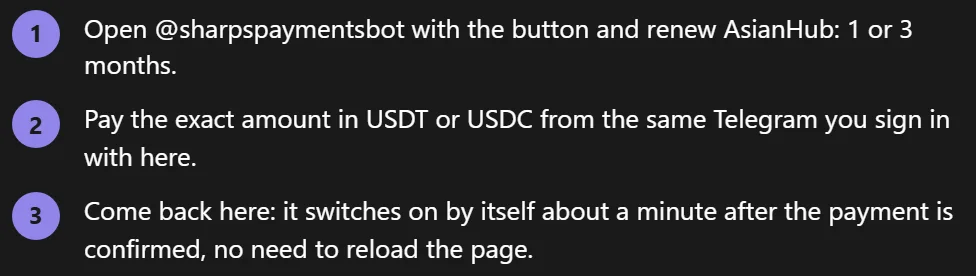
Real AsianHub screenshot, with demo data.
View full size ↗Keep going
Something doesn’t work like this? Message us at @sharpspickssupport.